
If you have a business, you may struggle with technical SEO because of a lack of in-depth knowledge or understanding of how it affects your online performance.
According to the 2026 technical SEO survey from GTM 80/20, a research firm specializing in SEO performance metrics and industry trends, 40% of B2B companies lack internal expertise in technical SEO. This reveals a significant skills gap in both understanding and implementing technical SEO, which can hinder a website’s ability to rank effectively and perform well online.
As many sites fail basic technical checks, businesses often waste resources on content and ads that search engines fail to properly index or rank. So, how can businesses close this gap and ensure their websites deliver measurable growth in search visibility and performance?
What is Technical SEO
Technical SEO is like building a smooth, well-paved road for search engines to travel on. Just as a car needs a clear, obstacle-free path to reach its destination efficiently, search engines rely on a site’s optimized infrastructure to crawl and index its pages.
It’s more than just filling the road with content, it’s about ensuring things like speed, mobile-friendliness, secure connections, and clear routes are in place. If your site has roadblocks like slow loading times or broken links, search engines may struggle to navigate, which can hurt your rankings.
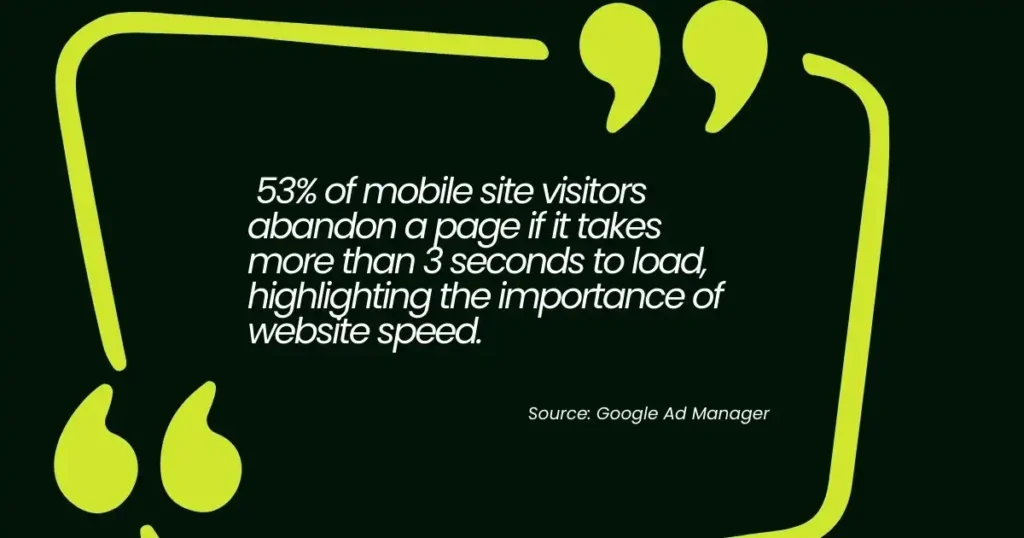
In fact,53%of mobile site visitors abandon a page if it takes more than 3 seconds to load, highlighting the importance of website speed.
Optimizing for speed not only improves user experience but also ensures search engines can crawl and index your site efficiently, boosting your chances of ranking higher.
What are the Key Elements of Technical SEO?
Here are 8 different types of technical SEO elements:
1. Website Crawlability
Website crawlability is one of the technical SEO elements that are designed to ensure search engines can efficiently crawl and index your website, which is critical for your content to be properly understood and ranked. One of the first steps in enhancing crawlability is creating a robots.txt file.
This file acts like a map, guiding search engines on which pages they should or shouldn’t crawl. Additionally, regularly auditing your website with tools like Google Search Console helps identify and resolve crawl issues that may prevent search engines from accessing important pages, potentially harming your site’s rankings and traffic.
To guarantee effective crawlability, you can follow these essential steps:
- Create a Robots.txt file – This file directs search engines on which pages to crawl or exclude, ensuring they focus on the most important ones.
- Submit your Sitemap – A sitemap provides a clear list of your site’s most important pages, helping search engines prioritize their crawling and indexing.
- Check for Crawl Errors – Regularly use tools like Google Search Console to detect and fix crawl errors, ensuring that search engines don’t miss key pages on your site.
- Optimize Website Speed – Fast-loading pages are easier for search engines to crawl and index, and they also provide a better user experience.
- Fix Duplicate Content – Use canonical tags to indicate the preferred version of a page, preventing duplicate content issues that can confuse search engines.
- Ensure Mobile-Friendliness – A mobile-friendly site is essential for proper indexing, as search engines prioritize mobile-first indexing to better cater to users on smartphones and tablets.
2. Site Speed Optimization
Page speed is essential for both search engine rankings and user experience. Websites that take more than 3 seconds to load can cause user frustration, and those that take over 5 seconds often see a significant drop in traffic and conversions.
On the other hand, a website that loads in under 2 seconds tends to provide a much better user experience and can improve your SEO rankings. If you want to check your website speed, you can use Google PageSpeed Insights which can help you spot areas for improvement, such as optimizing image sizes, using browser caching, and reducing server response times. By speeding up your site, you not only boost your SEO but also enhance user satisfaction.
If your website is slow, here are actionable steps you can take to optimize its speed:
- Image Optimization: Resize large images to match display dimensions and use formats like WebP instead of PNG or JPG. For example, compressing a 2MB image down to 200KB significantly improves speed without visible quality loss.
- Lazy Loading: Add loading=”lazy” to <img> and <iframe> tags for content below the fold. This ensures images only load when the user scrolls down, saving initial bandwidth.
- Minification: Remove unnecessary characters, spaces, and comments from CSS and JavaScript files (e.g., using UglifyJS for JS) to reduce file size.
- Browser Caching: Configure the .htaccess file to store static files (like CSS, JS, images) in the user’s browser, preventing the need to re-download assets on returning visits.
- CSS Sprites: Combine multiple small icons or images into a single image file, reducing the total number of HTTP requests the browser makes to the server.
- Render-Blocking Reduction: Use async or defer attributes on script tags to prevent JavaScript from blocking the browser from rendering the page’s HTML.
3. Mobile Optimization

Over 50% of global web traffic now comes from mobile phones, according to Statista, and this number is expected to keep growing as more people grow up using mobile devices.
Because mobile is such a big part of daily life, focusing on the mobile user experience is important.
With mobile-first indexing now a reality, optimizing for mobile devices through technical SEO optimization is no longer optional. Mobile optimization ensures that your site provides a seamless experience across all devices. A mobile-friendly website automatically adjusts to different screen sizes and loads quickly on mobile networks, which is vital for both SEO and user retention.
The shift to mobile is already well underway, and businesses are investing resources to take advantage of it. Mobile offers businesses unique opportunities to connect with both current and potential customers.
4.SSL/HTTPS Encryption
Security is a top priority for both users and search engines. SSL certificates (Secure Socket Layer) encrypt data exchanged between the website and its visitors, ensuring that sensitive information remains protected.
Websites with HTTPS (the secure version of HTTP) are preferred by Google and users alike, as HTTPS indicates a higher level of trust. Google even considers HTTPS a ranking signal, so securing your website with an SSL certificate is essential for improving SEO performance.
If this step is not taken, websites may be penalized by search engines, resulting in lower rankings, reduced traffic, and a loss of user trust, ultimately impacting overall site performance and conversions.
Here are the sample of SSL/HTTPS process (the handshake):
- Client Hello: The browser connects to the server, listing supported encryption algorithms.
- Server Hello & Certificate: The server sends its SSL certificate, which contains its public key and domain information.
- Authentication: The browser verifies the certificate with a trusted Certificate Authority.
- Key Exchange: The browser generates a session key, encrypts it with the server’s public key, and sends it back.
- Encrypted Session: The server decrypts the session key with its private key. Both parties now use this key for fast, symmetric encryption for all subsequent communication.
5. XML Sitemap and Structured Data
An XML sitemap serves as a roadmap for search engines, directing them to the most important pages on your website. This ensures that all key content is crawled and indexed, improving visibility.
Additionally, structured data (commonly implemented as schema markup) helps search engines better understand your content, enabling them to display rich results like star ratings, product prices, or event details directly in the search results.
For example, structured data is used for showing review ratings for products, event dates, or article authorship in search results. Without structured data, search engines might miss these enhanced features, limiting your content’s visibility and reducing the chances of attracting more clicks from search results.
According to Google Developers, websites that implement structured data markup can see up to a 25% higher click-through rate compared to similar pages without it. This demonstrates the value of using structured data to enhance search listings and drive more user engagement.
6. Fixing Broken Links and Errors
Broken links or 404 errors can significantly damage your website’s SEO by creating a poor user experience and preventing search engines from crawling and indexing your site properly.
To identify 404 errors, you can use tools like Google Search Console, which will notify you of any broken links, or use specialized website crawlers like Screaming Frog or Ahrefs to scan your site for these issues. Regularly checking for and fixing broken links ensures that search engines can crawl all pages effectively, improving site performance and user satisfaction.
Here’s how to fix broken links and errors on your website:
- Identify Broken Links – Use tools like Google Search Console or Screaming Frog to find 404 errors or broken links on your website.
- Redirect Broken Links – Set up 301 redirects for outdated or removed pages to ensure users and search engines are redirected to the correct page.
- Update Internal Links – Review and update any internal links that lead to non-existent or incorrect pages.
- Fix External Links – If your website links to external pages that no longer exist, either find a working link or remove the link entirely.
- Monitor Links Regularly – Schedule periodic audits of your website’s links to identify and resolve any new broken links.
- Ensure Correct URL Format – Check that all URLs are correctly formatted, with proper capitalization, no extra slashes, and proper query parameters.
7. Canonicalization
Canonical tags help search engines understand which page should be treated as the main version when several pages contain the same or very similar content. Without this signal, search engines may treat those pages as duplicates, which can weaken search visibility. A canonical tag directs crawlers to the preferred page, keeping authority and ranking signals focused on a single URL rather than being spread across multiple versions.
Here’s an example of how to implement canonicalization:
Let’s say you have two pages with very similar content:
- https://example.com/shoes/red-running-shoes
- https://example.com/shoes/red-running-shoes?ref=homepage
Even though both pages contain the same product information, you want to tell search engines that https://example.com/shoes/red-running-shoes is the main page to focus on.
To do this, you would add a canonical tag to the head section of the second page’s HTML (the one with the URL that includes ?ref=homepage). Here’s how the tag would look:
<link rel=”canonical” href=”https://example.com/shoes/red-running-shoes” />
This tells search engines to consider the first URL as the main page, so any authority or ranking signals stay focused on it, rather than being divided between the two pages.
8. Core Web Vitals
Google introduced Core Web Vitals to measure user experience on websites. These metrics focus on loading speed, responsiveness, and visual stability, which can influence both SEO performance and user satisfaction.
In March 2024, Google replaced First Input Delay (FID) with Interaction to Next Paint (INP). This new metric measures how quickly a page responds after a user clicks or interacts with it.
Google recommends an INP score of 200 milliseconds or less. Faster, more responsive pages tend to keep visitors engaged and support stronger search visibility.
Why Technical SEO Matters
Technical SEO helps improve your website’s performance by making sure it loads quickly, works well on mobile, is easy to index, and is secure. These things directly affect how users experience your site and how well it ranks on search engines.
70% of consumers say that page speed influences their decision to buy from an online store, according to Search Engine Journal, showing how important fast performance and technical SEO are for keeping users interested and improving your site’s visibility.
Technical SEO is essential for improving website visibility, search rankings, and user experience. It ensures crawlability and indexing, allowing search engines to access and rank your site. Key factors like site speed, mobile-friendliness, and security (HTTPS) impact rankings and user engagement.
Fast-loading, mobile-optimized websites are prioritized in search results, while proper SEO practices reduce bounce rates and boost content and backlink performance. Solid technical SEO also future-proofs your site, ensuring it remains competitive as search engines evolve.
Maximize Your Website’s Potential with Technical SEO
Things like fast loading times, mobile-friendly designs, and a secure website help your site rank better on search engines. It’s not a one-time job; you need to keep checking and improving your site. By making your website work well and easy for users, you can get better rankings and more success.
At Sam SEO Philippines, we specialize in improving your website through our technical SEO services. We can help optimize your website’s crawlability, site speed, fix broken links, and enhance mobile-friendliness. Contact Sam SEO Philippines today for solutions that make your website easier to navigate, resulting in a higher click-through rate and improved user engagement!
FAQs
How does mobile optimization affect search engine rankings?
With mobile-first indexing, Google prioritises the mobile version of your site when determining search rankings. This is especially important for Shopify SEO, as many online shoppers browse and buy from mobile devices. If your Shopify store isn’t optimised for mobile, it can affect rankings, user experience, and sales. A mobile-friendly Shopify website helps improve SEO performance, keeps visitors engaged, and increases the likelihood of conversions.
How can I improve my website’s speed for better SEO?
Website speed is a key ranking factor for search engines and essential for user experience. This technical SEO guide shows how you can improve speed by optimizing images, enabling lazy loading, minifying CSS and JavaScript files, and using browser caching. These actions reduce the time it takes for your website to load, which helps improve both your SEO and user retention.
Why is mobile optimization important for SEO?
Since more than 50% of web traffic comes from mobile devices, search engines now give priority to mobile-friendly websites in their rankings. It’s important to have a website that works well on different screen sizes and loads quickly on mobile. Mobile optimization helps improve your SEO and keeps users interested, which is key to your business success.
How can SSL/HTTPS encryption improve my website’s SEO?
SSL/HTTPS encryption secures the data exchanged between your website and its visitors, building trust and improving security. Google uses HTTPS as a ranking signal, so websites with SSL certificates are favored in search rankings. Ensuring your website is HTTPS-secure not only boosts your SEO but also ensures a safer browsing experience for