
Content is published but not ranking, and that’s where most business owners hit a wall. No clicks, no impressions, just a page sitting quietly in the background.
According to Ahrefs, a platform known for analysing billions of search results, 96.55% of pages receive zero organic traffic from Google. The problem isn’t just creating content, it’s about properly optimising it to be visible, relevant, and competitive in search results.
The real question is, if most pages never get seen, what exactly are top-ranking pages doing differently to stand out?
What Is On-Page SEO
On-page SEO (or on-site SEO) involves optimizing web pages to rank higher in search engines and attract organic traffic. It includes refining content (text, images) and HTML elements (title tags, meta descriptions) to show relevance and user value.
Key practices include optimizing titles, descriptions, headers, keywords, alt text, internal links, and URL structure. On-page SEO improves rankings, gives full control over optimization, and enhances user experience, distinguishing it from off-page and technical SEO, which focus on external factors and site infrastructure.
How To Do On-Page SEO: Step-By-Step Guide
Here are the steps on how to do on page seo for higher rankings and traffic:
1. Develop Original and Valuable Content
Produce content that is unique, informative, and aligned with user intent. Thoroughly cover topics and showcase your expertise to improve your chances of ranking well on both AI-driven and traditional search engines.
To create high-quality, AI-optimized content, follow these steps:
- Understand user needs: Research what your audience is looking for to ensure your content fully addresses their questions.
- Leverage expert insights: Interview in-house specialists or industry experts to add unique perspectives, data, or examples your competitors may not have.
- Answer queries directly: Start by addressing the main point clearly, then expand with additional context.
- Use visual aids: Include images, charts, or videos to clarify complex ideas and enhance understanding.
- Target specific queries: Provide answers to detailed questions reflecting how users interact with AI search engines. Using related keyword groups and tools like Semrush’s Prompt Research can help uncover variations.
- Eliminate vague pronouns: Restate subjects clearly to reduce ambiguity.
- Update content regularly: Keep your pages current, as AI search engines favor content with the latest, most accurate information.
For example, if your topic is “link building for SEO,” you could create a section titled “5 Advanced Link Building Strategies for 2026” that explains tactics like broken link building, skyscraper content, and outreach to niche blogs. Include real-life data or case studies showing how these strategies improved traffic for specific websites.
2. Place Target Keywords & Prompts Strategically
Use target keywords and prompts in key areas of your content to signal relevance to search engines, AI systems, and readers. When content clearly reflects what users are searching for, it is more likely to appear in search results and attract clicks. Ensure keywords fit naturally within the content, avoiding forced placements that can harm readability and rankings.
If the target keyword is “AI overviews,” use a URL like /ai-overviews-guide, include “AI Overviews Explained” as the H1, and mention it in the opening paragraph. Add a subheading like “How AI Overviews Impact Search Results” and include the keyword in image alt text. Structured placement helps search engines understand the topic while keeping the content easy to read.
You can also use tools like Semrush On Page SEO Checker to assess keyword placement and identify areas for improvement, highlighting missing opportunities and suggesting related terms to strengthen content relevance.
3. Structure Your Content With Headings
Start with a clear H1 for the main topic, followed by structured H2 and H3 sections to organize your content logically. Descriptive headings with relevant keywords and direct answers improve user experience and increase the chances of being selected for search features and AI-driven results.
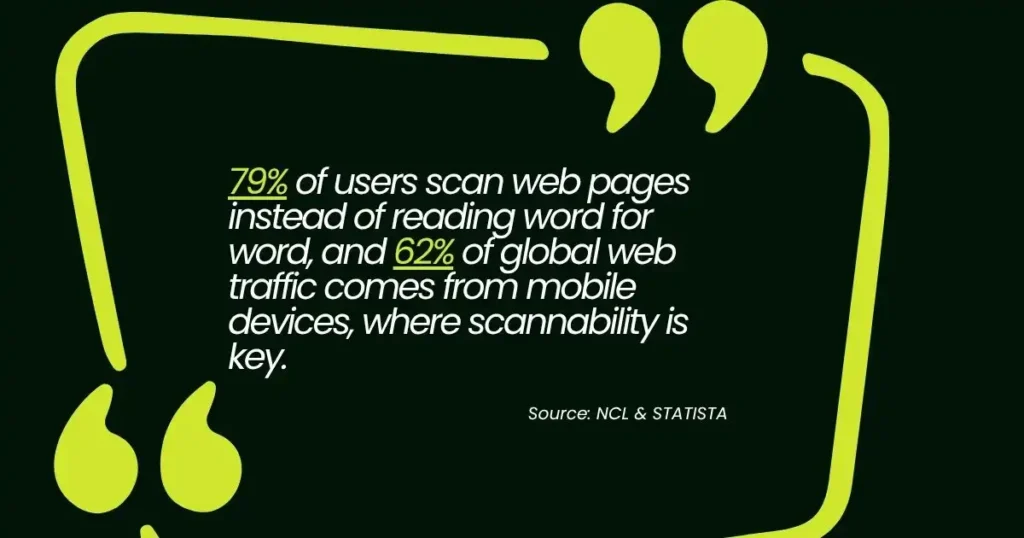
Well-structured content also boosts performance. Studies show 79% of users scan web pages instead of reading word for word, and 62%of global web traffic comes from mobile devices, where scannability is key. A clear heading hierarchy helps engage users, reduce bounce rates, and improve interaction signals for better rankings.
From a technical SEO perspective, headings help search engines interpret content hierarchy and context more accurately, improving crawlability and increasing the likelihood of appearing in features like featured snippets and AI summaries.
4. Write Accurate Title Tags
Title tags inform both traditional and AI search engines about your page’s content and influence whether users click through to your site. Title tags appear in browser tabs and search engine results. Clear and relevant title tags improve ranking chances and attract clicks.
To make sure your title tags are effective, here are some best practices:
| Why accurate title tags matter | Best practices for title tags |
• Assist search engines in matching pages to relevant queries. • Consistent titles help reduce confusion and boost search visibility. | •Keep titles between 50 and 60 characters to avoid truncation in search results. •Include the target keyword to signal topic relevance. •Align the title tag with your H1 headline for consistency. •Use unique titles for each page to differentiate topics. •Craft compelling titles using words like best, guide, how-to, or tips. |
A well-crafted title tag not only improves your chances of ranking but also enhances the user experience by giving them a clear idea of the page’s content. Thoughtful title tags help both search engines and users, making your content more discoverable and relevant.
5. Write Accurate Meta Descriptions
To achieve the best results, keep meta descriptions between 140 and 150 characters. A description within this range ensures the full message appears in search results without being cut off. Descriptions that are too short lack space to explain your page’s value, while longer ones may get trimmed by search engines, weakening their impact.
For example, when targeting “best running shoes for beginners,” a meta description could be:
“Our testers picked the 9 best running shoes for beginners. Compare features, pros, and comfort to find the right pair for your first run today.” (145 characters)
The description works because it:
- Naturally includes the target keyword
- Clearly tells readers what they’ll gain
- Uses action-focused wording to drive clicks
- Fits within the recommended character range
A strong meta description prioritizes clarity. Avoid vague phrases and ensure your content is accurately reflected. If users feel the description doesn’t match, they’re more likely to leave, increasing bounce rates.
Meta descriptions are more effective when combined with well-structured headings, thoughtful keyword placement, and useful content. These elements help search engines and AI systems better understand your page, making your content easier to read and more appealing to users.
Think of the meta description as a short pitch. With limited space, make it clear, relevant, and focused on the reader’s benefit to improve chances of earning clicks.
6. Optimize Your URL Slugs
Keep URL slugs short, clear, and keyword-focused to help both search engines and users understand your page. A URL slug is the final part of your web address, like “on-page-seo” in a blog URL.
Include your target keyword and use 3-5 words to keep the URL clean and descriptive. Avoid random numbers or filler text, and separate words with hyphens (e.g., “email-marketing-guide” instead of “emailmarketingguide”). Remove unnecessary extras like tracking codes or session IDs, unless required.
For Example:
Instead of:
www.website.com/blog/12345-best-guide-email-marketing-2026
Use:
www.website.com/blog/email-marketing-guide
Clear and well-structured URL slugs enhance readability, shareability, and crawlability, ultimately boosting user engagement and search engine rankings. Keep URLs simple to maximize their effectiveness.
7. Add Strategic Internal Links
Internal links connect different pages on your website, making it easier for both users and search engines to navigate your content. When done properly, they help visitors find related information and allow search engines to discover and index more of your pages.
A strong internal linking setup also spreads authority across your site. Pages that receive more traffic or have stronger rankings can pass value to other pages, helping them perform better in search results.
To use internal links effectively:
- Link to relevant pages that add value to the reader
- Use clear anchor text so users know what to expect when they click
- Avoid adding too many links on one page, as it can feel overwhelming
When you approach internal linking with purpose, you improve both SEO and user experience. It encourages readers to stay longer on your site, explore more content, and find exactly what they need, boosting your overall search performance.
8. Add External Links To Credible Sources
Including external links to trustworthy websites not only offers additional resources for readers but also enhances your content’s credibility. Linking to authoritative sources strengthens user trust and improves your pages’ relevance signals for both AI and traditional search engines.
For example, a blog on digital marketing could link to a HubSpot guide about email marketing best practices. Readers gain direct access to credible information, demonstrating that your content is supported by industry-recognized expertise. Tools like Semrush’s Site Audit can help identify external linking opportunities and pinpoint issues that need attention.
Strategic linking to high-quality, relevant sources and using clear anchor text increases your content’s authority and value. Thoughtful external links signal credibility to readers and search engines, making your content more reliable and trustworthy.
9. Write Descriptive Image File Names And Alt Text
Writing descriptive image file names and alt text improves the chances of your images appearing in search results and makes your site more accessible to all users. Alt text describes an image when it can’t be displayed or when users rely on assistive technologies. Image file names should describe the image subject, while alt text can provide more detail.
To make the most of image file names and alt text, follow these best practices:
- Keep alt text concise, ideally 125 characters or fewer.
- Skip alt text for purely decorative images that don’t add meaning.
- Avoid generic phrases like “image of” or “picture of.”
- Use descriptive, keyword-rich file names that match the image content.
- Ensure alt text accurately reflects what the image shows while remaining readable.
A well-crafted image file name and alt text not only enhance SEO but also improve accessibility, making your site more user-friendly and discoverable. Optimized images signal relevance to search engines, provide context for AI systems, and build trust with readers, helping your content stand out in a crowded online landscape.
10. Optimize For Page Speed
Optimizing your page speed improves SEO, strengthens AI search visibility, and enhances user experience. It reduces the likelihood of visitors leaving before engaging and helps prevent negative impacts on search rankings. Slow-loading pages can also affect how AI systems assess your content’s credibility.
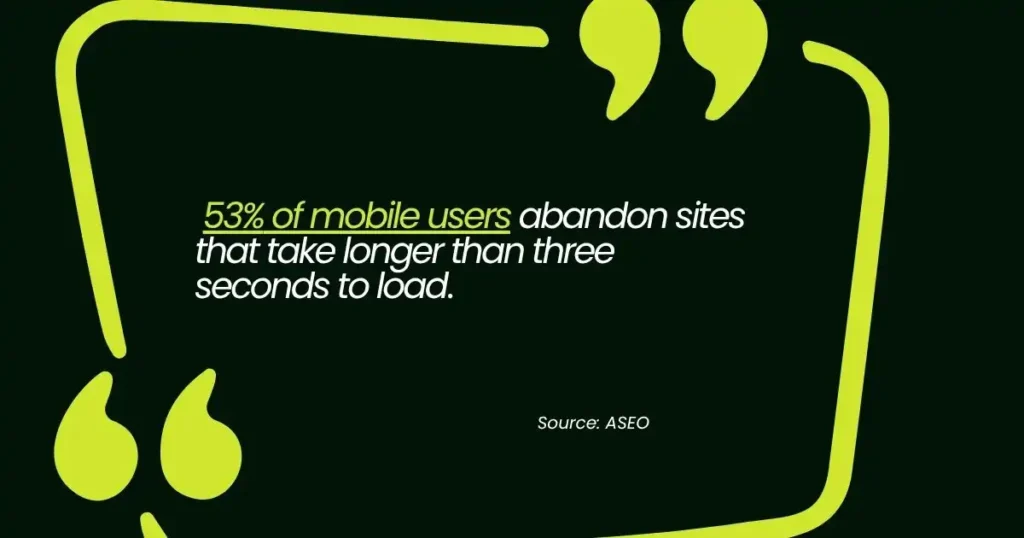
Research shows that 53% of mobile users abandon sites that take longer than three seconds to load, while pages that load within two seconds experience higher engagement and conversion rates. Tools like Google PageSpeed Insights measure key metrics such as Largest Contentful Paint (LCP) and suggest ways to improve speed, like optimizing image formats, compressing files, and reducing redirects.
Improving page speed makes your content more accessible, retains visitors longer, and signals to search engines and AI that your site is reliable. Fast-loading pages create a smoother experience, increase engagement, and give your content a competitive edge in search results.
Supercharge Your SEO With Strategic Off-Page Optimisation
Even the most optimised on-page content can struggle to rank without strong off-page SEO. Backlinks from authoritative sites, social signals, guest posts, and mentions across the web all signal credibility and relevance to search engines and AI systems.
Strategies not only improve rankings but also drive targeted traffic and increase your brand’s visibility online. If building a powerful off-page presence feels overwhelming, Sam SEO Philippines can develop a customized off-page SEO strategy to strengthen your site’s authority and boost organic performance. Contact us today to improve your SEO results and start driving more traffic to your site.
FAQs On How To Do On-Page SEO
What Is On-Page SEO And Why Does It Matter?
On-page SEO refers to optimising elements on your website, such as content, headings, URLs, images, and internal links, to help search engines understand your pages. Strong on-page SEO improves visibility, makes your content easier to index, and helps attract relevant traffic from both traditional search engines and AI-powered search features.
What Are Common On-Page SEO Mistakes To Avoid?
Some frequent mistakes include keyword stuffing, missing meta descriptions, poorly structured headings, slow-loading pages, and using non-descriptive image alt text. Avoiding these errors ensures your pages remain user-friendly, accessible, and more likely to rank in AI-driven search results.
How Do I Check If My On-Page SEO Is Effective?
You can evaluate on-page SEO by reviewing factors like keyword placement, page load speed, meta titles and descriptions, heading structure, and internal links. Tools such as Semrush, Ahrefs, and Google Search Console provide insights into optimisation performance, highlighting areas that may need improvement.
How Does Page Speed Affect SEO?
Faster-loading pages improve user experience and reduce bounce rates. Search engines and AI systems favour websites that load quickly, especially on mobile devices. Even small improvements in load times can positively impact rankings and visibility in AI-generated results.
Do Images Impact On-Page SEO?
Yes. Optimised images with descriptive file names and alt text enhance accessibility, provide context to search engines, and can appear in image search results. Proper image optimisation also improves page speed, which influences both ranking and user experience.