
Somewhere in your city, a competitor with a weaker offer is outranking you because their Google Business Profile optimization is better than yours. Businesses inside the Google 3-Pack receive 93% more conversion-oriented actions, including calls, website clicks, and driving directions, than businesses ranked below them, and a complete profile receives 7 times more clicks than an incomplete one. Every day your listing sits unoptimized, those actions are going to someone else.
The good news is that around 56% of local businesses have not claimed or fully optimized their GBP, which means the window to take the lead in your market is still open. It will not stay that way. What follows breaks down every signal that drives Google Business Profile optimization from the ground up, and why businesses that act now will hold a local ranking advantage that latecomers will struggle to close.
What Is Google Business Profile
Google Business Profile (GBP), formerly known as Google My Business, is a free listing tool from Google that controls how your business appears across Google Search and Google Maps. It displays your business name, address, phone number (NAP), website link, operating hours, customer reviews, photos, posts, and service listings.
For businesses targeting local SEO Philippines, GBP is not optional. It is the primary interface between your business and local searchers, and a complete, accurate profile is the foundation of every GBP ranking tip that moves your listing up the Map Pack.
Google ranks local businesses using three core factors:
- Relevance is how well your profile matches what the searcher is looking for, determined by your category, description, services, and keywords.
- Distance is how close your business location is to the searcher, since Google applies a geographic radius when surfacing local results.
- Prominence is how well-known and trusted your business is, based on reviews, ratings, backlinks, and overall online presence.
Strong Google Business Profile optimization improves all three factors at once, which is why a well-managed profile consistently outranks a neglected one, even against competitors with higher domain authority.
Why GBP Optimization Drives Local Pack Ranking
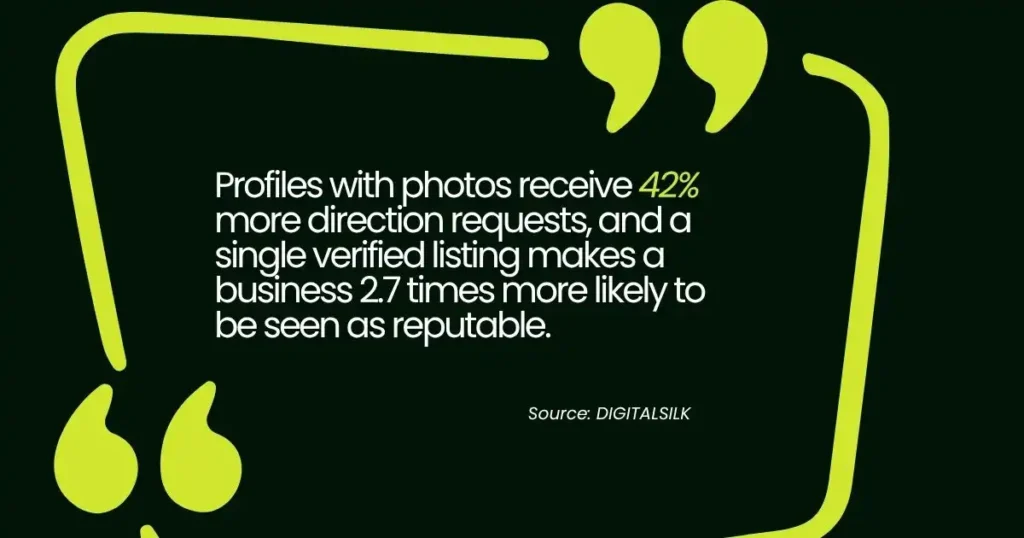
The local pack, also called the Map Pack, is the block of three business listings at the top of Google’s search results for local queries. Businesses in those three positions capture the majority of local search traffic, and getting there depends entirely on how consistently you manage your GBP. Profiles with photos receive 42% more direction requests, and a single verified listing makes a business 2.7 times more likely to be seen as reputable.
For businesses pursuing Google My Business Philippines visibility, that gap matters more than ever. Competition in local Philippine markets is growing fast, and the businesses that commit to local pack ranking now will hold a structural advantage that latecomers cannot easily close.
How To Do Google Business Profile Optimization in 10 Steps
A strong GBP does not happen by accident. Every element of your profile sends a signal to Google, and the businesses that manage those signals consistently are the ones showing up where it counts. The 10 steps below cover everything from claiming your listing to monitoring it for unauthorized changes, so you can build a profile that earns local pack visibility and holds it.
Step 1: Claim and Verify Your Google Business Profile Listing
Before any optimization can happen, your listing must be claimed and verified. An unclaimed profile can be edited by the public, may contain outdated information, and will not rank as strongly as a verified one.
How to Claim and Verify Your Listing
- Go to google.com/business and sign in with the Google account you want to associate with the business.
- Search for your business name. If a listing already exists, claim it. If not, create a new one.
- Select or confirm your business category carefully. Your primary category is one of the most influential ranking signals in Google’s local algorithm.
- Enter your complete business address or service area.
- Choose your verification method. Google offers verification by postcard, phone, email, or video depending on your business type.
- Complete verification before making further changes.
Step 2: Optimize Your Business Name, Category, and Description
These three fields are the foundation of your Google Business Profile optimization because Google reads them first when matching your profile to a local search query.
| Field | What Google Uses It For | Best Practice |
| Business Name | Matches your listing to branded and local searches | Use your actual registered business name only. No keywords, city names, or slogans. Keyword-stuffed names violate Google’s guidelines and can result in suspension. |
| Primary and Secondary Categories | Determines which search queries your profile is eligible to appear for | Choose the most specific and accurate primary category available. Add secondary categories to capture additional relevant searches without diluting your primary relevance signal. Research which categories your top-ranking local competitors are using, especially in competitive Philippine markets like Makati or Cebu. |
| Business Description | Signals relevance to local search queries through keywords and location context | Write up to 750 characters. Lead with your value proposition, include keywords your local customers search for, and mention your location naturally. For businesses targeting local SEO Philippines, add city or regional identifiers where they fit. No promotional language, links, or calls to action. |
Step 3: Optimize Your Google Business Profile Services Section
The Services section allows you to list specific offerings under your profile. When you optimize Google Business Profile services correctly, individual service names can appear directly in your listing when customers search for them, giving you additional match opportunities beyond your primary category.
Adding and Organizing Your GBP Services
- Log in to your GBP dashboard and navigate to the Services section.
- Use Google’s pre-defined service suggestions where they accurately describe your offerings. These align with common search terms and carry a direct local SEO benefit.
- Add custom services for unique or specialized offerings not covered by pre-defined options.
- List your highest-priority services first, as GBP displays them in the order they are added.
- Write a short, clear description for each service using 250 characters. Include a local keyword or location reference where it fits naturally.
- Review and update services at least twice per year, or whenever your offerings change.
This is one of the most underused GBP ranking tips available. Businesses skip the services section entirely, leaving a direct ranking signal unused.
Step 4: Add High-Quality Photos and Videos
Visual content is one of the fastest ways to separate an active, trustworthy profile from a neglected one. Businesses that include photos see 45% more direction requests and 31% more website clicks, and profiles with 10 or more photos receive twice as much engagement, including calls and messages, as the average profile.
Photo and Video Best Practices
- Upload a high-resolution profile photo and cover image that clearly represents your brand.
- Add photos of your storefront, interior, team, products, and completed work.
- Use real photos, not stock images. Google prioritizes authentic local imagery.
- Rename image files with descriptive, keyword-relevant names before uploading (e.g., “manila-accounting-office-interior.jpg” rather than “IMG_4782.jpg”).
- Add geo-tagged photos where possible to reinforce your location relevance signals.
- Update photos regularly. A profile with recent uploads signals an active, engaged business.
For businesses managing Google My Business Philippines profiles, local photography that reflects your actual community and customers builds authenticity that stock imagery cannot replicate.
Step 5: Collect and Respond to Every Google Review
Review management is one of the most powerful drivers of local pack ranking. Google’s algorithm treats the volume, recency, and sentiment of your reviews as a measure of your business’s prominence. Businesses that respond to reviews are nearly two times more trusted by consumers than those that do not.
How to Build Your Review Profile
- Ask satisfied customers directly, in person, by text, or by email, shortly after completing a transaction.
- Share your GBP review link on your website, email signature, and receipts.
- Do not incentivize or purchase reviews. Google penalizes manipulated review profiles.
- Respond to every review, positive and negative, promptly and professionally.
- For negative reviews, acknowledge the issue, thank the reviewer, and offer to resolve it offline.
There is no fixed number of reviews required to rank well. What matters more is a consistent stream of recent, authentic reviews from real customers. A business with 30 recent five-star reviews will consistently outrank a competitor with 200 reviews that stopped three years ago.
Step 6: Post Regularly on Google Business Profile
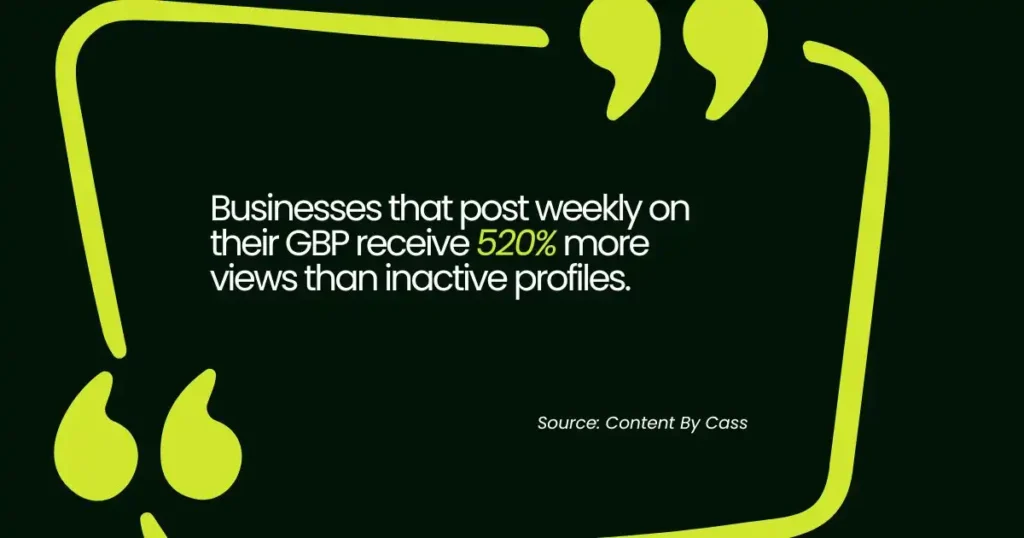
Regular posting is one of the most consistently underused GBP ranking tips. Businesses that post weekly on their GBP receive 520% more views than inactive profiles. Each post is an opportunity to signal activity, incorporate keywords, and give local searchers a reason to choose your business over a silent competitor. For a closer look at how to structure these updates for maximum impact, see Google Business Profile Posts.
What to Post
- Promotions and offers with a clear start and end date.
- New services, products, or business updates.
- Events your business is hosting or sponsoring.
- Seasonal content relevant to your local market.
- Behind-the-scenes content that humanizes your business.
Best Practices
- Incorporate local keywords and your service area naturally within post text.
- Include a call to action on every post, such as “Call now,” “Learn more,” or “Book today.”
- Post at minimum once per week to maintain freshness signals.
- Use Google Posts to highlight location-specific promotions for each branch if you manage multiple locations.
Step 7: Use Attributes, Q&A, and Special Features
Profile completeness is a direct ranking signal. The more relevant fields you fill in, the stronger your Google Business Profile optimization becomes. Three features that most businesses overlook are attributes, Q&A, and additional profile features.
Attributes
Attributes let you specify operational details such as “wheelchair accessible,” “women-led,” “free Wi-Fi,” “outdoor seating,” or “LGBTQ+-friendly.” These attributes appear directly in your listing and can connect your profile to more specific search queries.
Example: A dental clinic in Quezon City pre-populates their Q&A with “Do you accept PhilHealth?” and “Are walk-in patients welcome?” Both answers include the clinic’s location and services, adding keyword-rich content Google can surface directly in search results.
Q&A Section
The Q&A section allows anyone to ask questions about your business. You can proactively populate this section by submitting common questions yourself (from a secondary account) and then answering them from your business account. This controls the narrative, builds trust, and adds keyword-rich content to your profile.
Additional Features
- Booking links: If you operate by appointment, connect a booking integration to let customers schedule directly from your GBP.
- Menu and product listings: Applicable to restaurants and retail businesses, these add rich content that improves local search match signals.
- Messaging: Enable GBP messaging to allow customers to contact you directly from your listing.
Step 8: Embed Google Maps and Add Local Business Schema Markup
Two technical actions that significantly reinforce your local authority signals: embedding Google Maps on your website and adding LocalBusiness schema markup to your key pages.
Embed Google Maps
Embedding an interactive Google Map on your contact page and location pages creates a direct visual confirmation of where your business operates. It also gives visitors instant access to directions, reviews, and your full GBP listing without leaving your site. Google recognizes this as a user experience signal that reinforces your local relevance.
LocalBusiness Schema Markup
Schema markup is structured data code that tells Google exactly what your business is, where it operates, what it does, and how to contact it. LocalBusiness schema added to your homepage and contact page ensures Google can read your NAP data consistently, even when the page layout changes.
For businesses focused on local SEO Philippines, combining GBP optimization with on-site schema creates a dual signal that reinforces your geographic authority from two directions simultaneously.
Step 9: Maintain NAP Consistency Across All Platforms
NAP consistency, your business Name, Address, and Phone number matching exactly across every online platform, is one of the most foundational elements of Google Business Profile optimization. Inconsistent NAP data confuses Google’s local algorithm and dilutes your ranking signals.
Every directory, citation, social profile, and website where your business appears should show identical NAP information. This includes Google Business Profile, Yelp, Facebook, your own website’s contact page, local Philippine business directories, and any industry-specific platforms relevant to your niche.
How to Audit Your NAP Consistency
- Run your business name through tools like BrightLocal or Semrush Local to surface all existing citations.
- Compare each listing against your master NAP data.
- Update any inconsistency, including minor variations like “St.” versus “Street” or missing suite numbers.
- Set a quarterly reminder to re-audit, especially after any address, phone number, or business name change.
Businesses with complete and accurate NAP data across 50 or more directories consistently show stronger local search performance than those with partial or inconsistent citation profiles.
Step 10: Monitor GBP Insights and Audit for Unauthorized Changes
Ongoing monitoring is what separates businesses that maintain local pack ranking from those that briefly achieve it and then slide. Google allows public users to suggest edits to your GBP listing, and some of those edits can go live without your approval.
What to Monitor
- GBP Insights: Track searches, views, direction requests, calls, and website clicks from your profile dashboard. These metrics show what is working and where to prioritize.
- Unauthorized edits: Check your profile weekly for changes to your address, phone number, hours, or business name that you did not make.
- Photo removals: Google may remove photos that do not meet guidelines. Maintain a library of approved images to replace any removed content quickly.
- Review activity: Monitor new reviews and respond within 24 to 48 hours to maintain engagement signals.
Using GBP Data to Refine Your Strategy
- Identify which search queries are driving profile views and create GBP posts targeting those same terms.
- Compare direction requests against your store visits data to measure real-world impact.
- Track changes in local keyword rankings using Semrush or Ahrefs alongside your GBP insights for a complete performance picture.
Unlock Local Pack Visibility Now With Smart GBP Optimization
Every day your GBP listing is incomplete or unmanaged is a day your competitors are capturing the customers searching for exactly what you offer. Google Business Profile optimization is not a one-time task. It is an ongoing commitment that compounds over time, building profile authority, review volume, and ranking momentum that becomes increasingly difficult for competitors to overtake.
Ready to optimize Google Business Profile performance for your business and take ownership of your local pack position? Sam SEO Philippines helps businesses across the Philippines and internationally build the consistent, data-driven GBP management systems that move rankings. Contact us today and let us build a strategy around your market.
Frequently Asked Questions About Google Business Profile Optimization
What is Google Business Profile optimization?
Google Business Profile optimization is the process of completing, refining, and actively managing every element of your GBP listing to improve your visibility in Google local search results and the Map Pack. It includes accurate business information, keyword-informed descriptions and posts, consistent review management, photo uploads, service listings, and ongoing monitoring. Businesses that fully optimize Google Business Profile listings consistently outperform those that treat the profile as a one-time setup task.
How does GBP affect local pack ranking?
Google uses your GBP as a primary data source when deciding which businesses to show in the local pack for a given search. Profile completeness, review volume and recency, posting frequency, photo engagement, and NAP consistency all feed into the local algorithm. Stronger performance across these signals translates directly into higher local pack ranking. There is no single magic fix. Consistent optimization across all elements is what moves the needle.
Do GBP ranking tips work for businesses in the Philippines?
Yes. The same principles that drive Google My Business Philippines visibility apply globally. The local search algorithm behaves the same way whether you are targeting customers in Makati, Cebu, Davao, or any other Philippine market.
Consistency, completeness, and active management are the core drivers everywhere. For Philippine businesses, adding local city or regional identifiers to descriptions and posts adds an additional layer of geographic specificity that helps Google match your profile to local queries.
How often should I update my Google Business Profile?
At minimum, post once per week, respond to reviews within 24 to 48 hours, update your hours and services whenever they change, and audit your profile for unauthorized edits at least monthly. Quarterly NAP audits across your full citation profile keep your consistency signals strong. Businesses that treat Google Business Profile optimization as an ongoing activity rather than a one-time setup consistently hold stronger local rankings.
What is the difference between GBP and traditional SEO?
Traditional SEO focuses on improving your website’s visibility in organic search results through content, backlinks, and technical optimization. GBP ranking tips target your Map Pack visibility specifically, which operates on a separate algorithm that weighs proximity, profile completeness, and engagement alongside your website’s authority.
For businesses targeting local customers, both work together. GBP drives local pack visibility while strong on-site SEO supports your overall domain authority. For local SEO Philippines strategies, optimizing both channels simultaneously delivers the strongest results.